One account · Web, iPhone and Android
Room for the whole plan.
Ambitious work gets punished on a phone and rewarded on a desktop. So Lapaas gives the plan a real desk — board, table, timeline and portfolio roll-ups over one set of tasks — and keeps capture, triage and status one tap away when you leave it.
Free on this device, with no account. Cloud workspaces sync across all three platforms.
- Board
- Table
- Timeline
- Calendar
- List
- Saved views
- Custom fields
- Labels
- Dependencies
- Bulk edit
- Portfolios
- Goals
- Command palette
- Keyboard shortcuts
- Multi-homed tasks
- Activity history
- Attachments
- Roll-up status
01Plan
Structure that stays out of today’s way
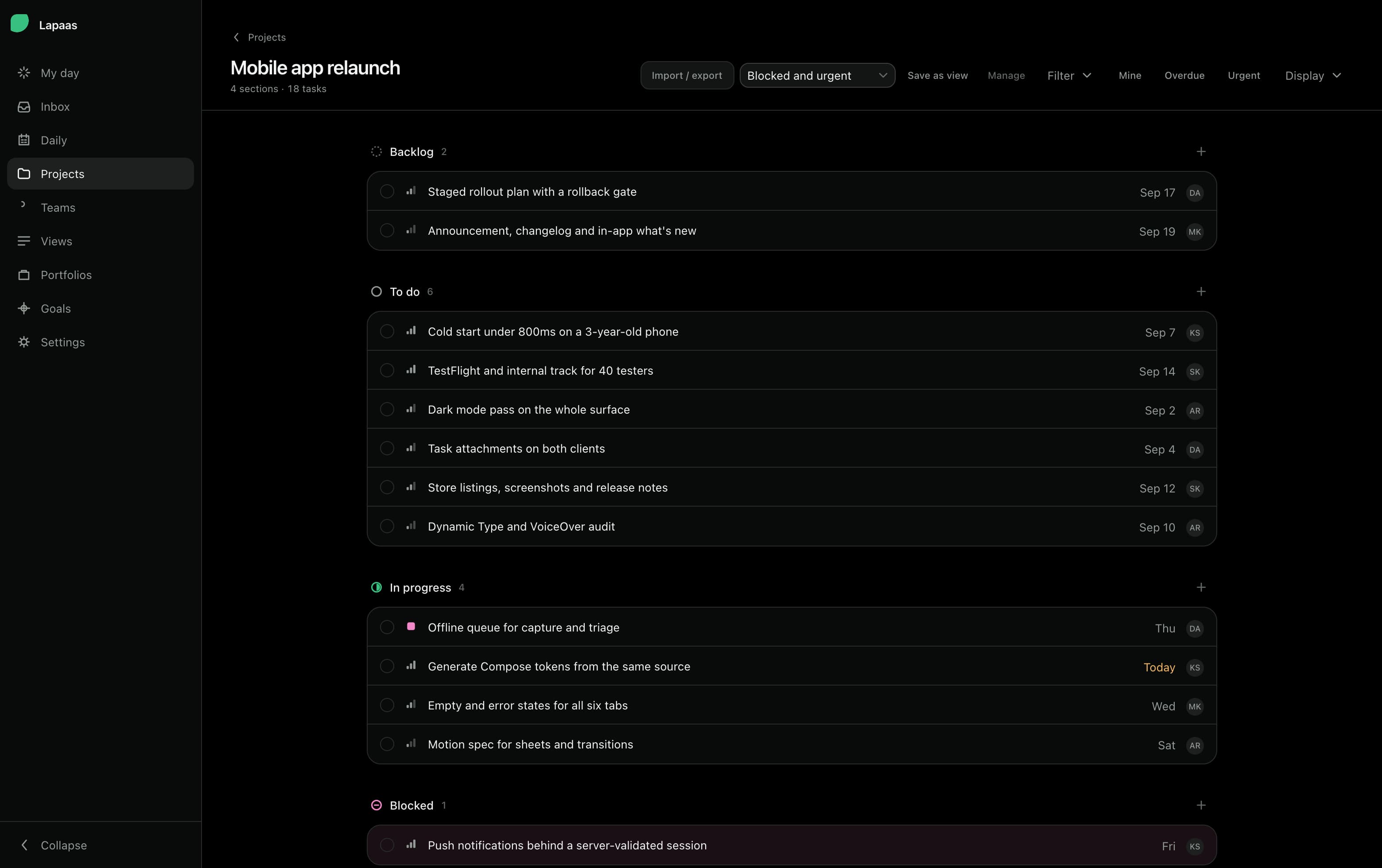
Sections, dependencies, custom fields and templates live underneath the work rather than on top of it. Set the shape of a project once; every layout, roll-up and filter reads from that same spine.
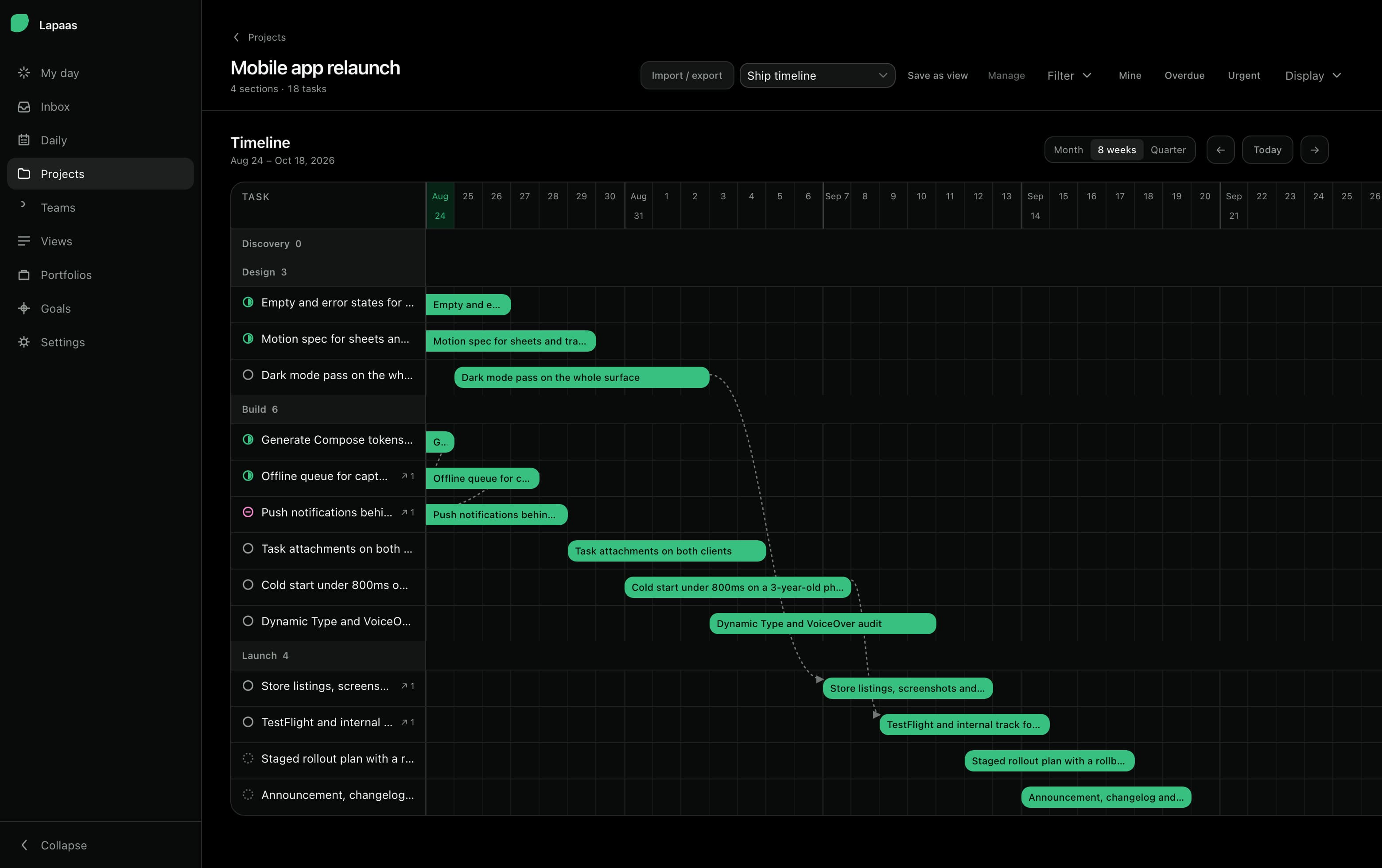
A blocked chain is drawn on the timeline. A slipping date changes colour on the row. Nothing has to be re-entered anywhere for either to happen.
- Sections
- Dependencies
- Custom fields
- Templates
- Multi-homed tasks
02 · Look
One set of tasks. Five ways to look at it.
Not five features that happen to hold similar data — one field renderer and one set of sections, drawn five ways. Switching layout costs nothing because nothing is duplicated.
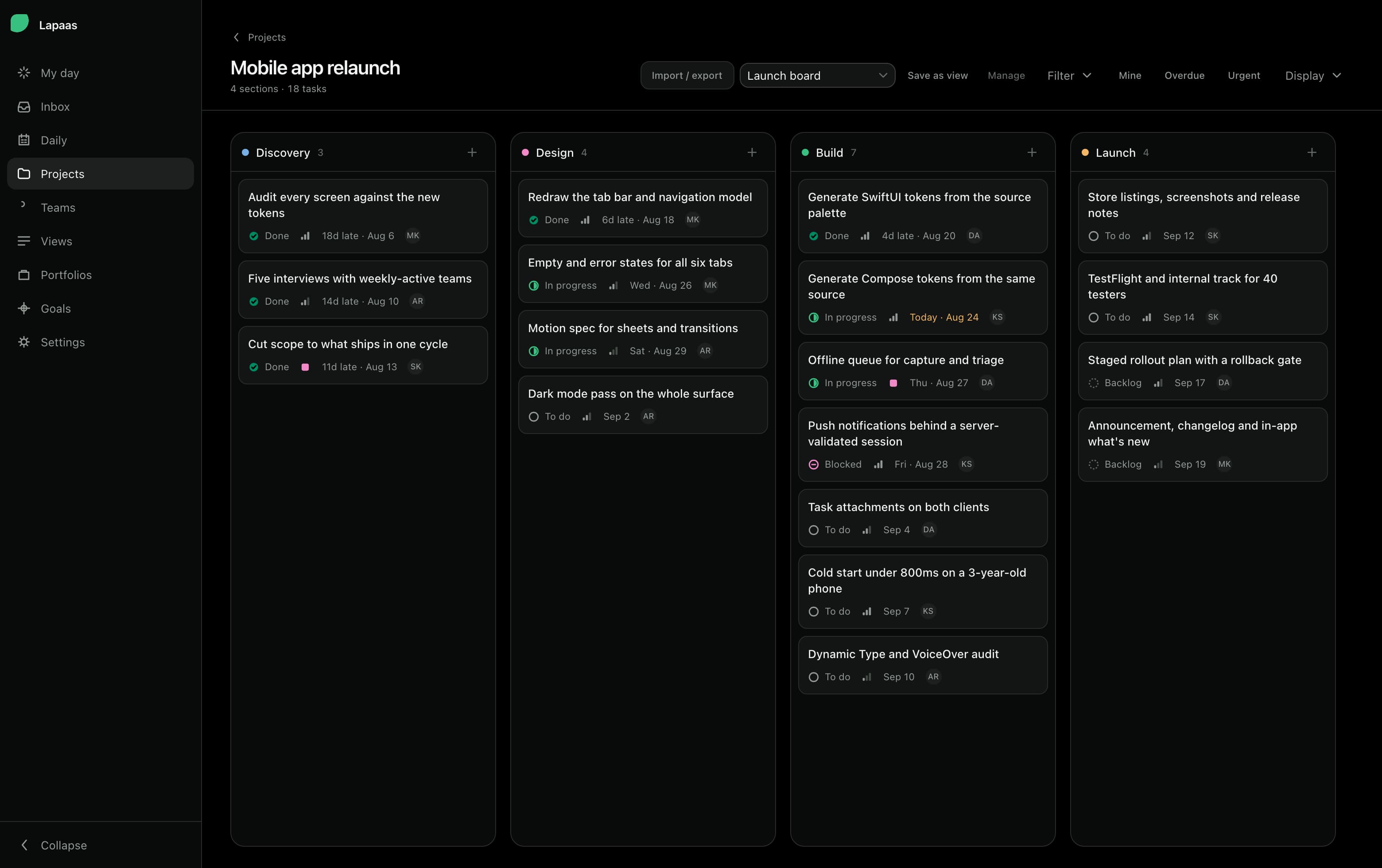
01Board
Sections become columns. Drag work across the plan, not across a spreadsheet.
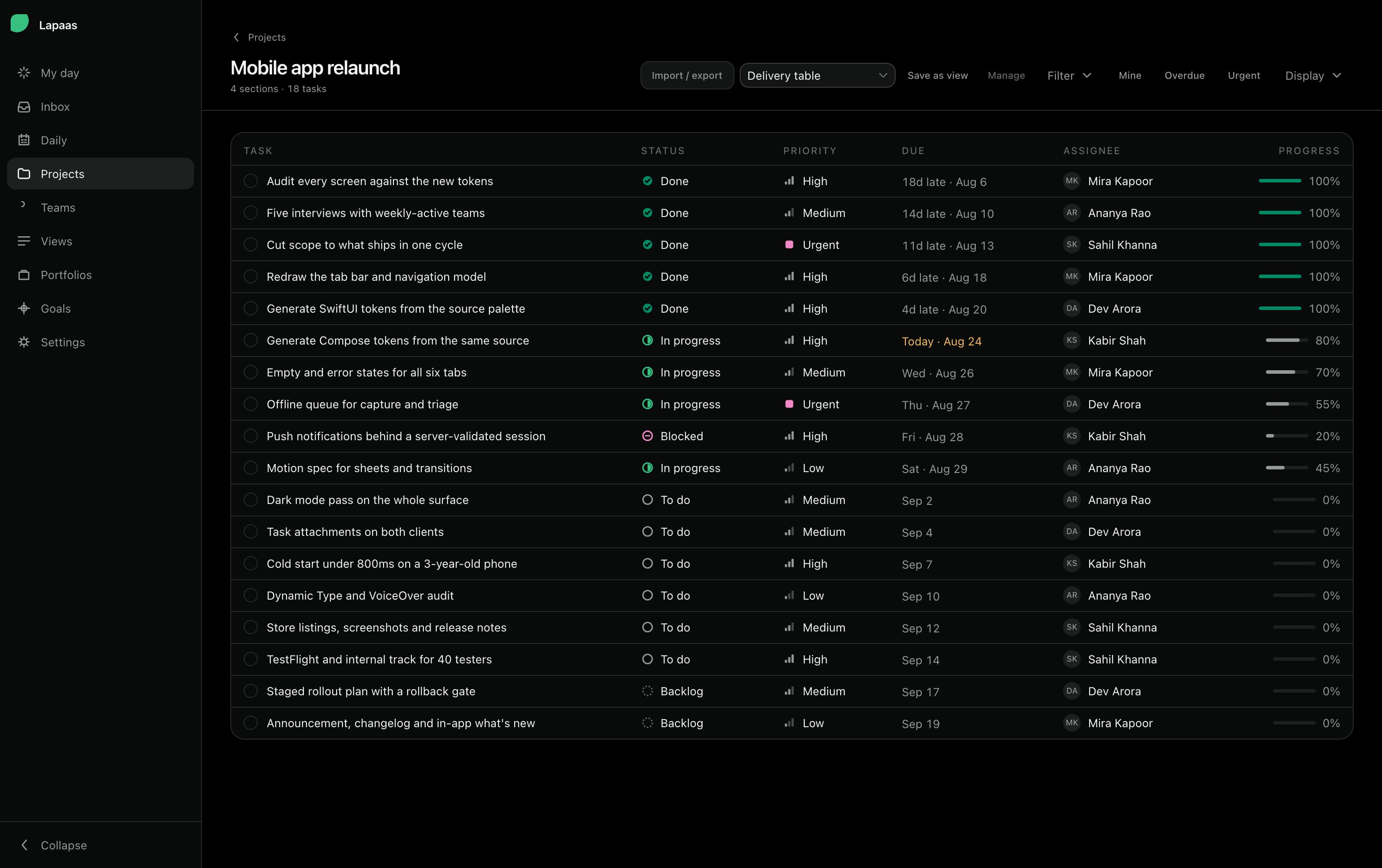
02Table
Every field as a column, sortable, and editable in bulk across a selection.
03Timeline
Dates and dependencies, with the blocked chain drawn rather than described.
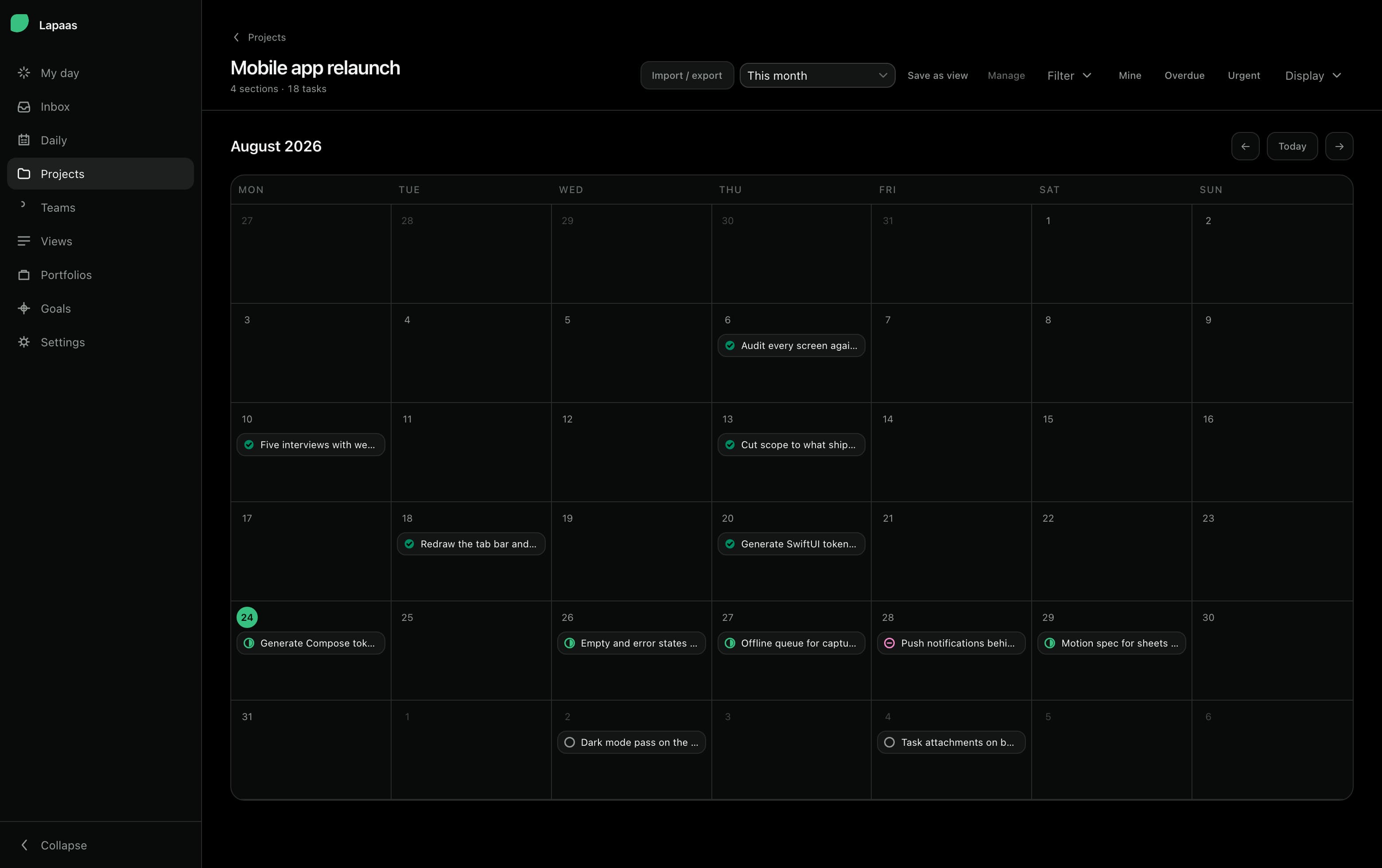
04Calendar
The month, when the question is what lands on which day.
05List
Grouped by anything, with the rule that colours a blocked row set on the view.
03Execute
The repeatable work, kept quiet and kept moving
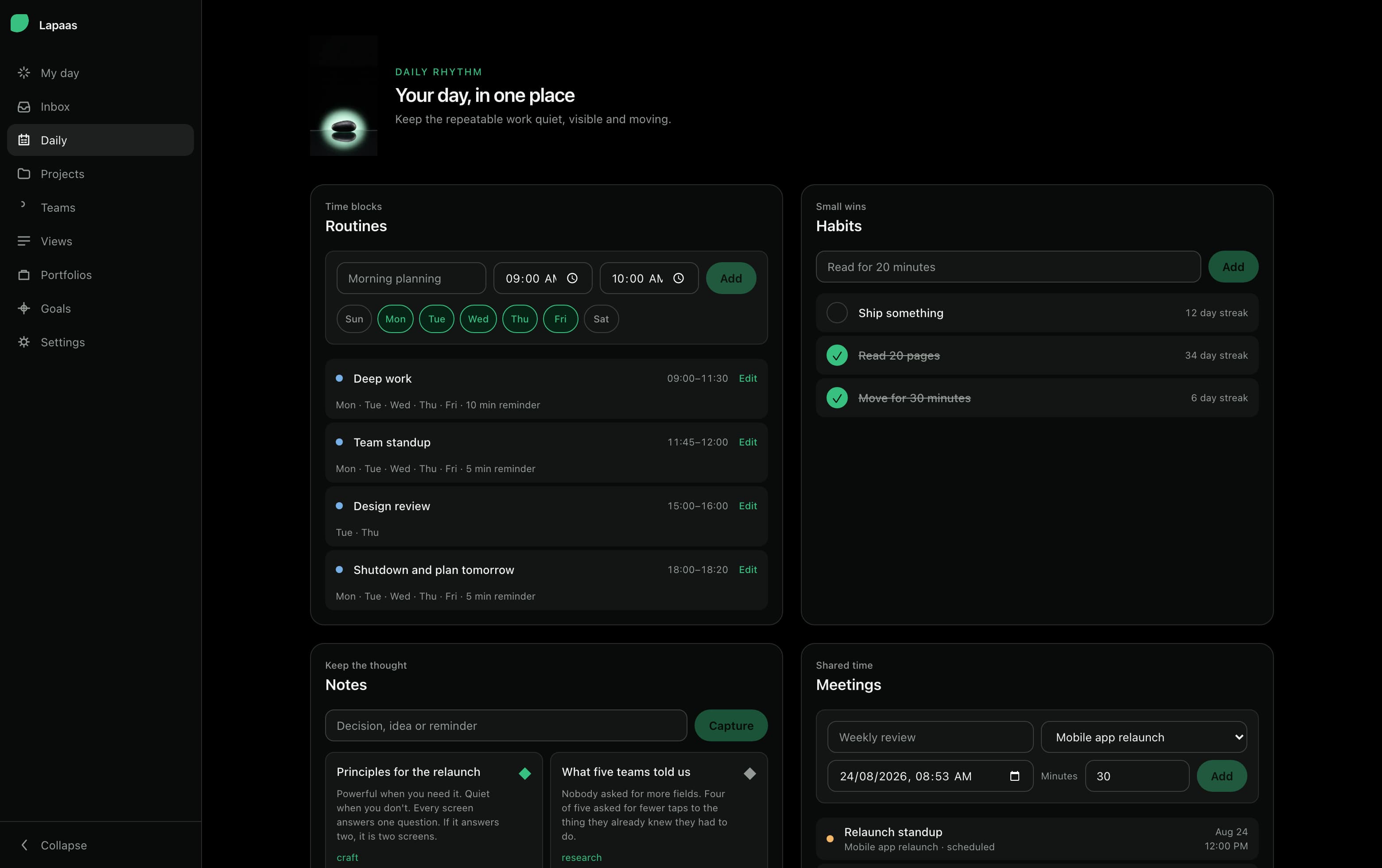
Time blocks, habits, notes and meetings sit beside the project plan instead of in a second app. My Day answers one question — what is mine, today — and gets out of the way once it has.
- Routines
- Habit streaks
- Quick capture
- Meeting minutes
- Cross-project inbox
04 · Away from the desk
The phone gets the part a phone is good at.
Native on both platforms — Swift on iOS, Kotlin on Android — and deliberately narrow. Capture, triage, status and the day’s habits, with reminders and calendar sync. No compressed spreadsheet, and no banner asking you to open a laptop.
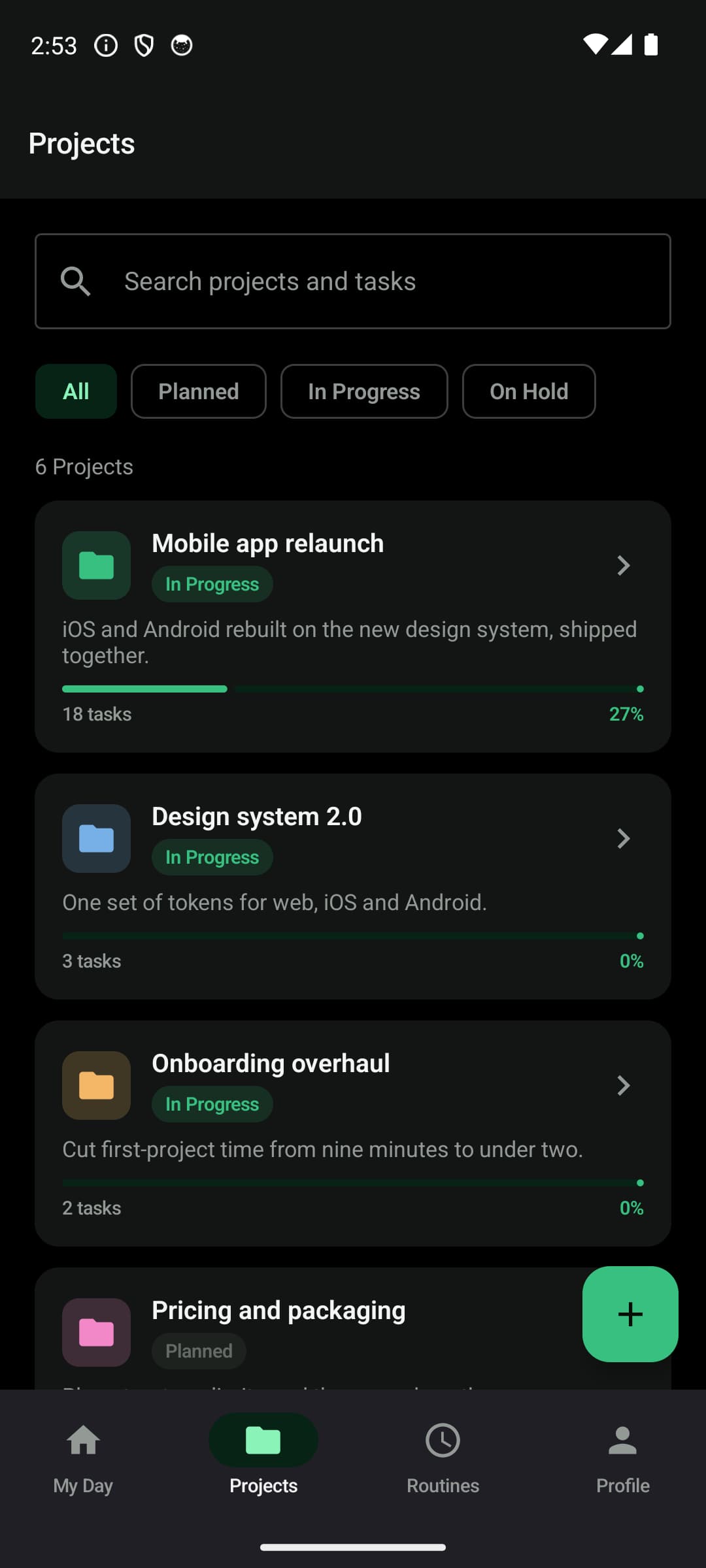
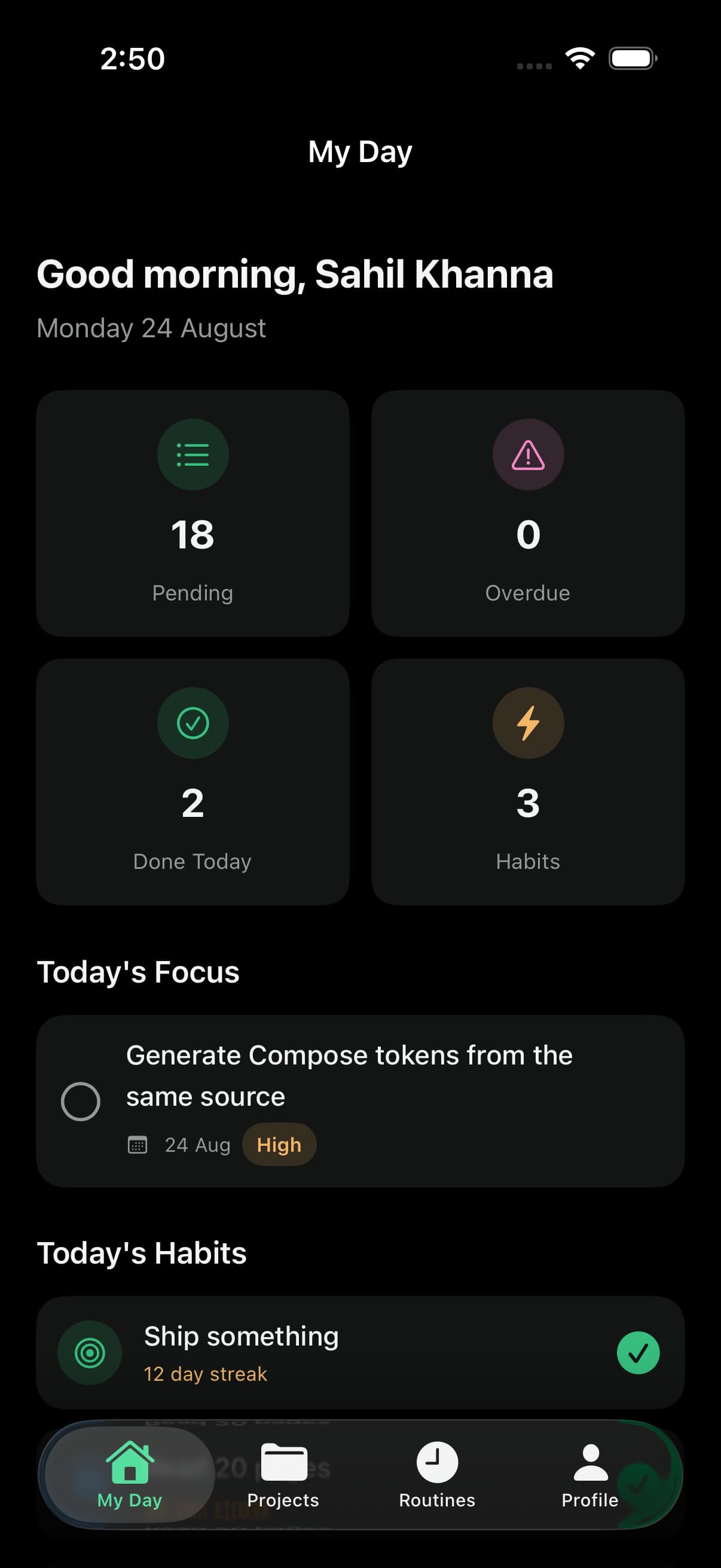
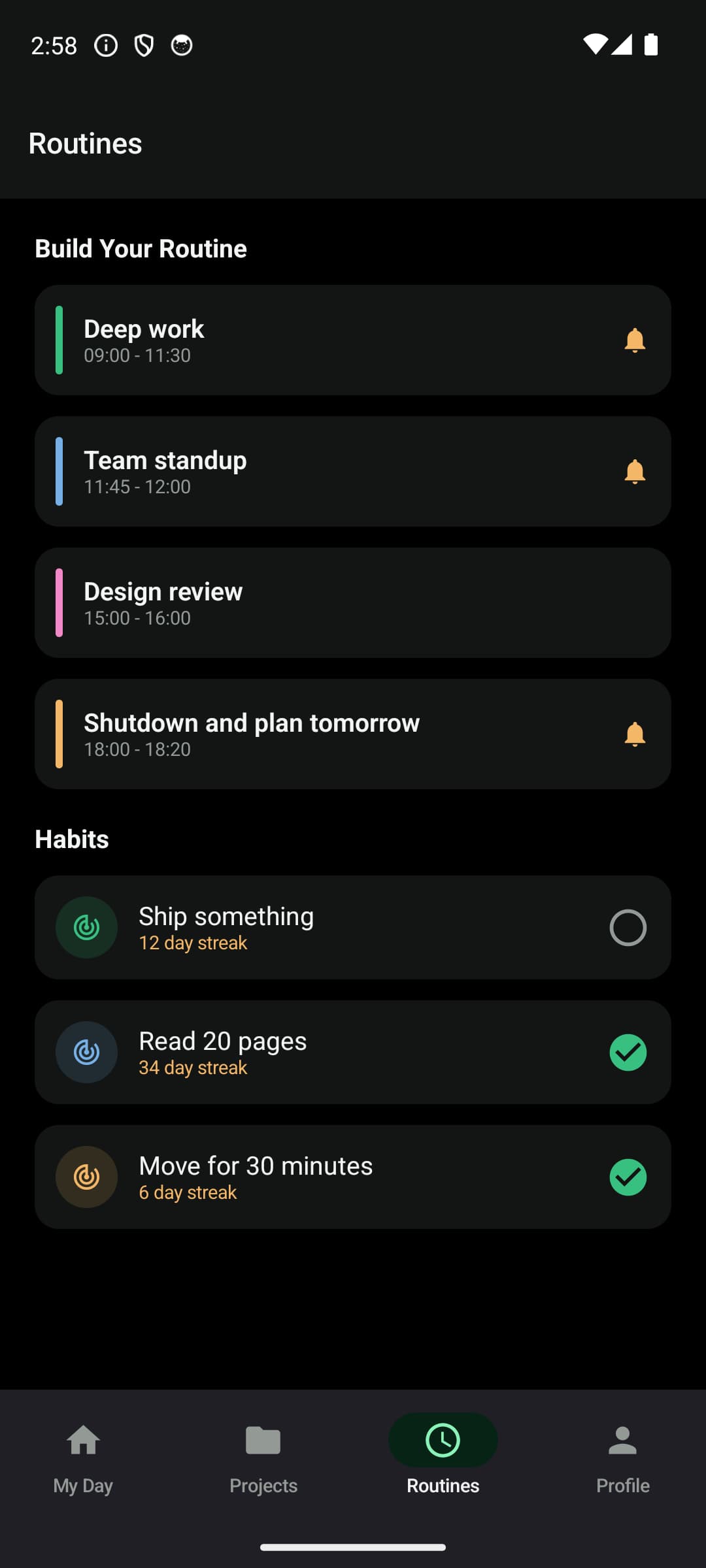
iPhone and Android, the same workspace and the same account — with offline capture, local reminders and calendar sync on both.
05Understand
Status you read, not status you chase
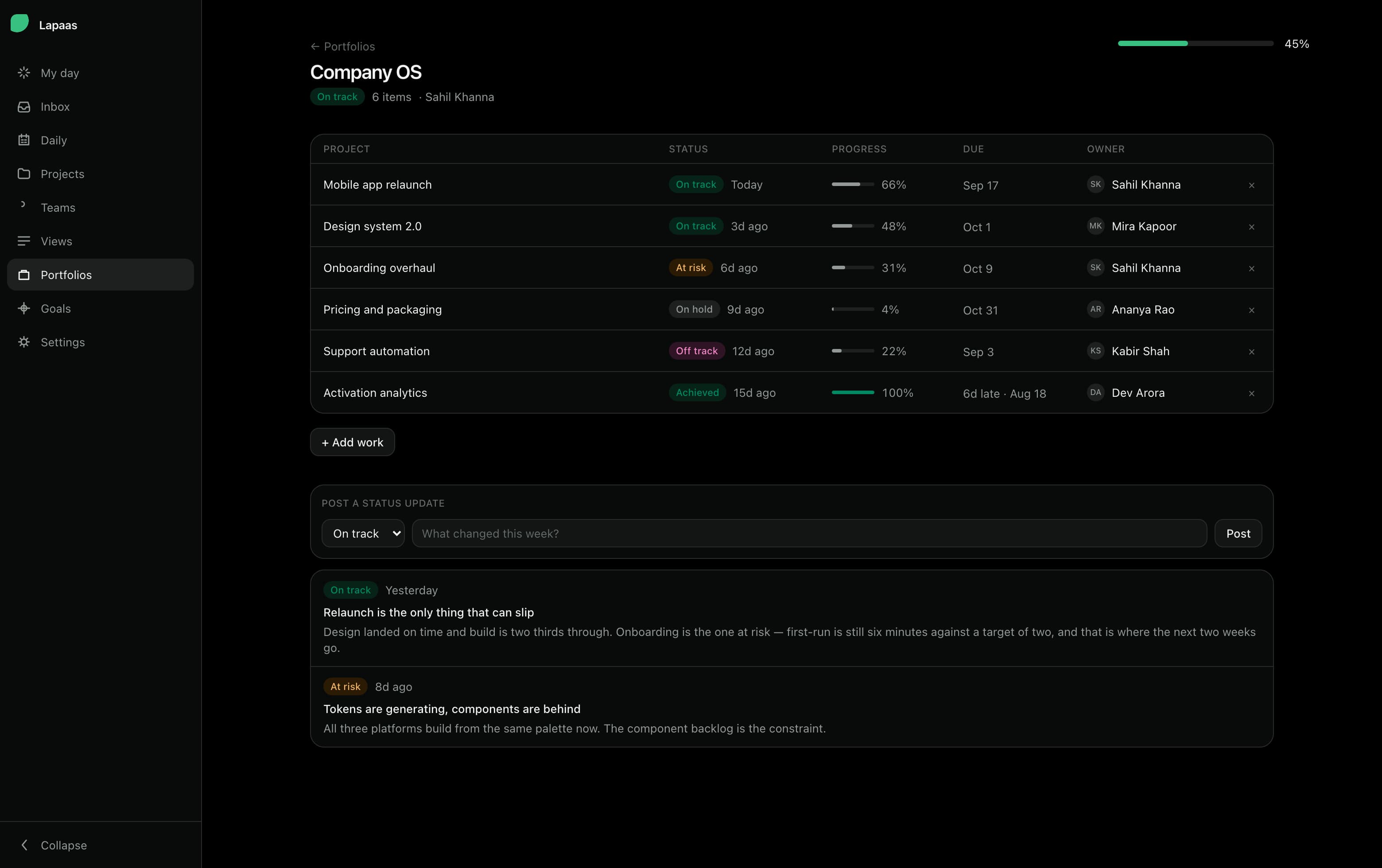
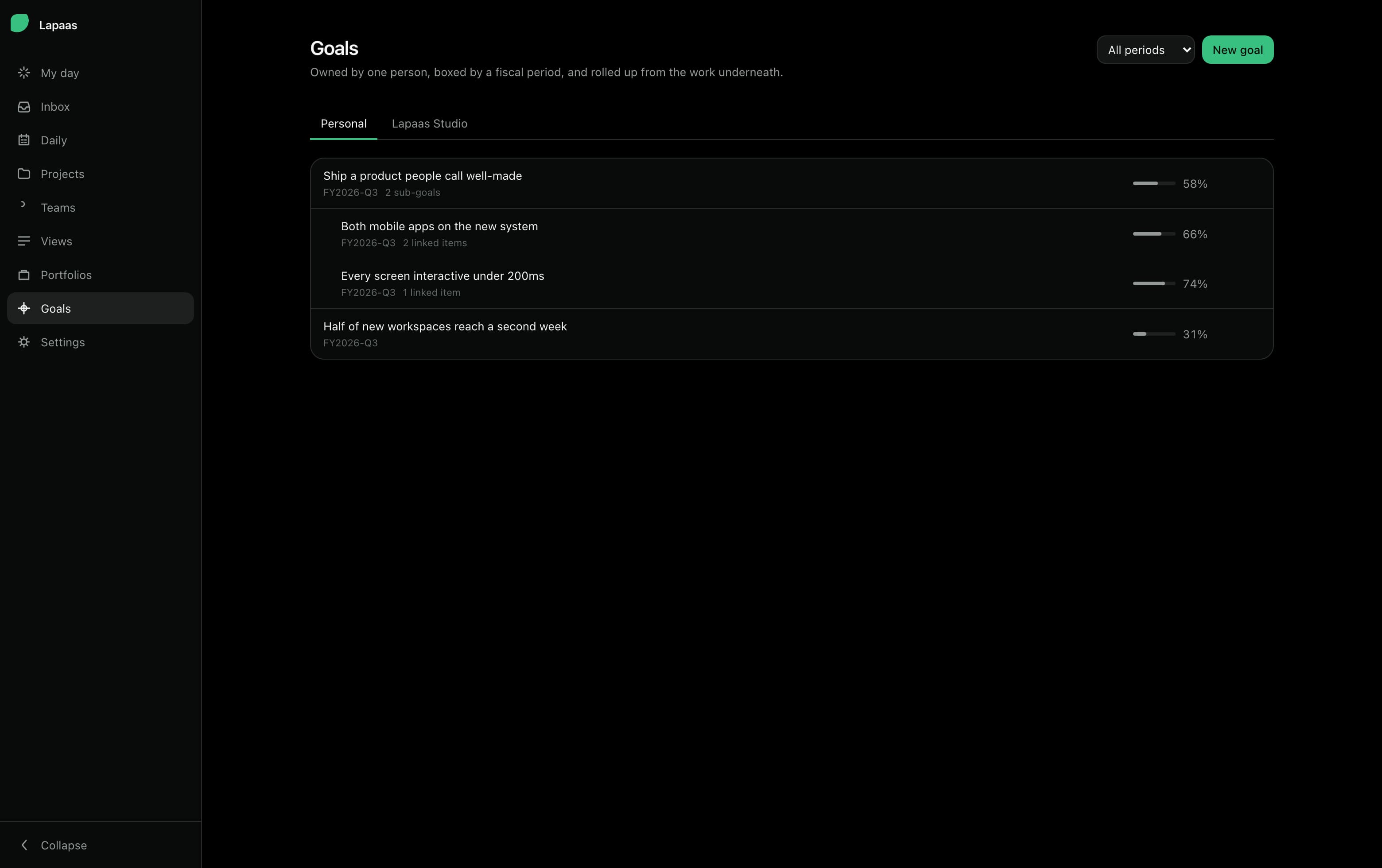
Portfolios roll every project up to one number and one honest colour. Goals hang off the same tree, so a slipping project moves the objective it belongs to without anybody rewriting a slide.
06 · Craft
Built for the hour you spend in it, not the demo.
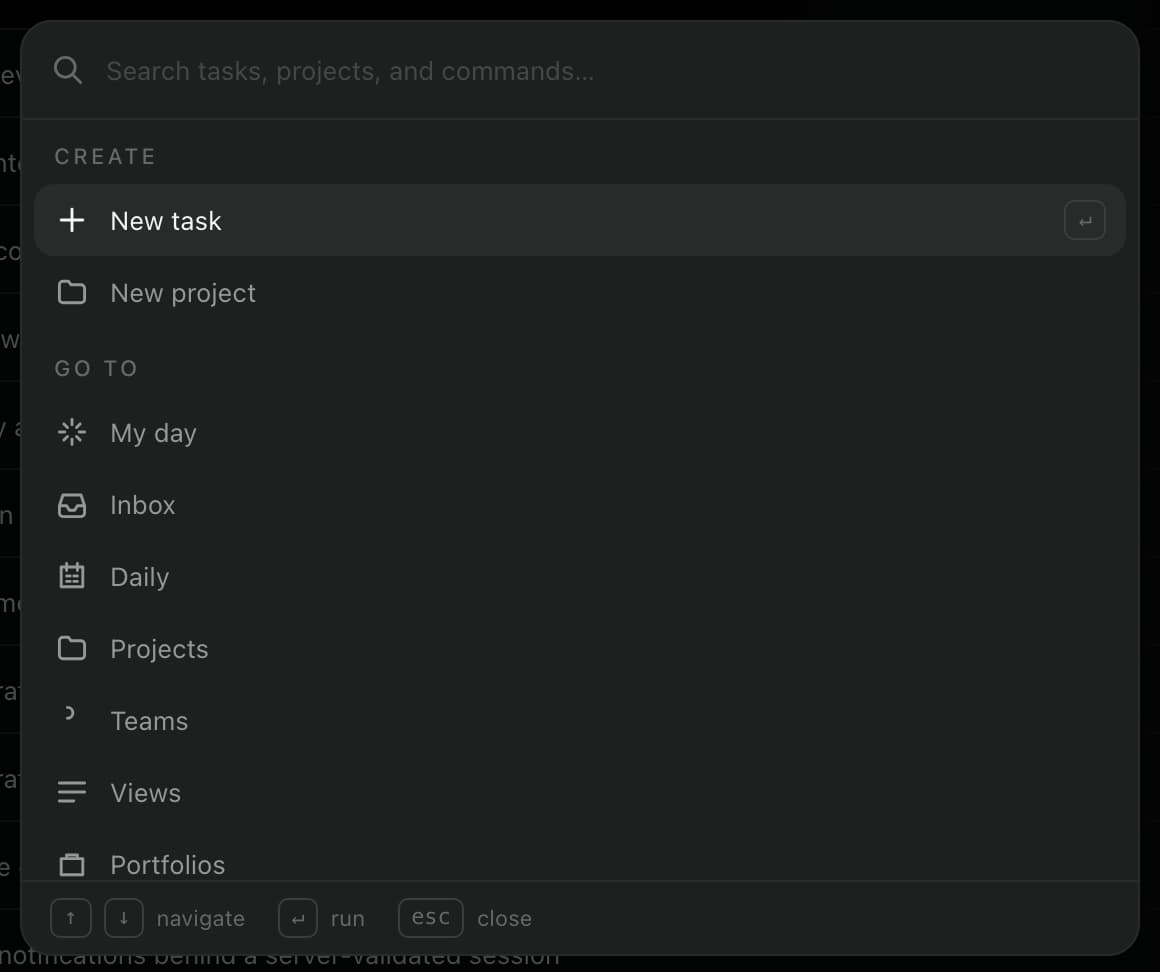
Everything is one keystroke away
⌘K opens the palette from anywhere: create, jump, search across every project. The whole product is reachable without the mouse, and the shortcut sheet is one keypress away too.
Filters that read like a sentence
assignee:me and overdue is a filter you can type, save as a view, and share with the team.
Edit forty rows at once
Select across a list or table and set status, priority, due date, assignee or labels for the whole selection in one write.
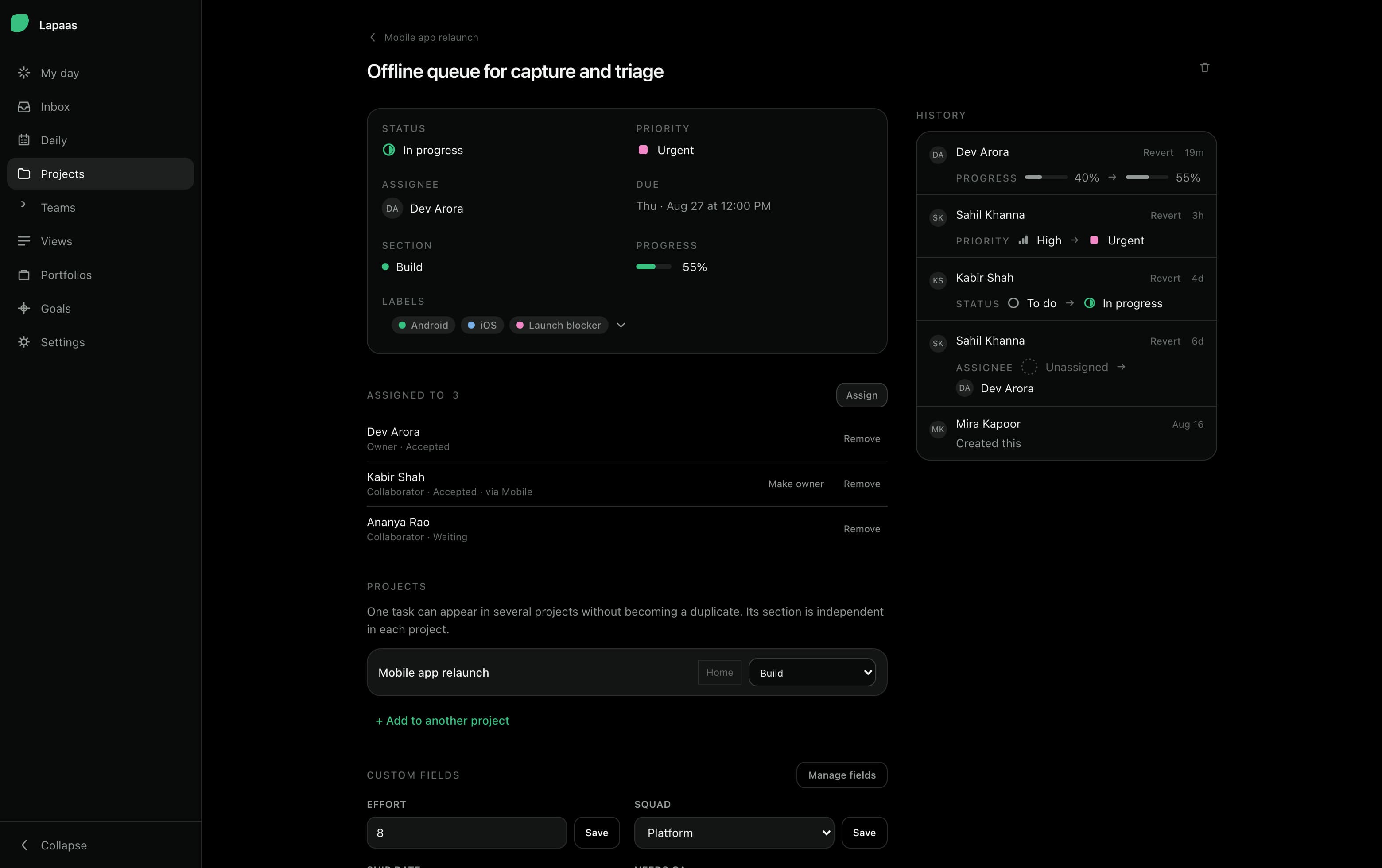
Every change, with its history
The activity log stores the values, not a sentence about them — so a status change draws with the same glyph the board uses, and any of it can be reverted.
One task holds the whole conversation
Owners and collaborators with an accepted-or-pending state, subtasks, typed custom fields, attachments, reactions and the projects the task is homed in — on one page, without a stack of modals over it.
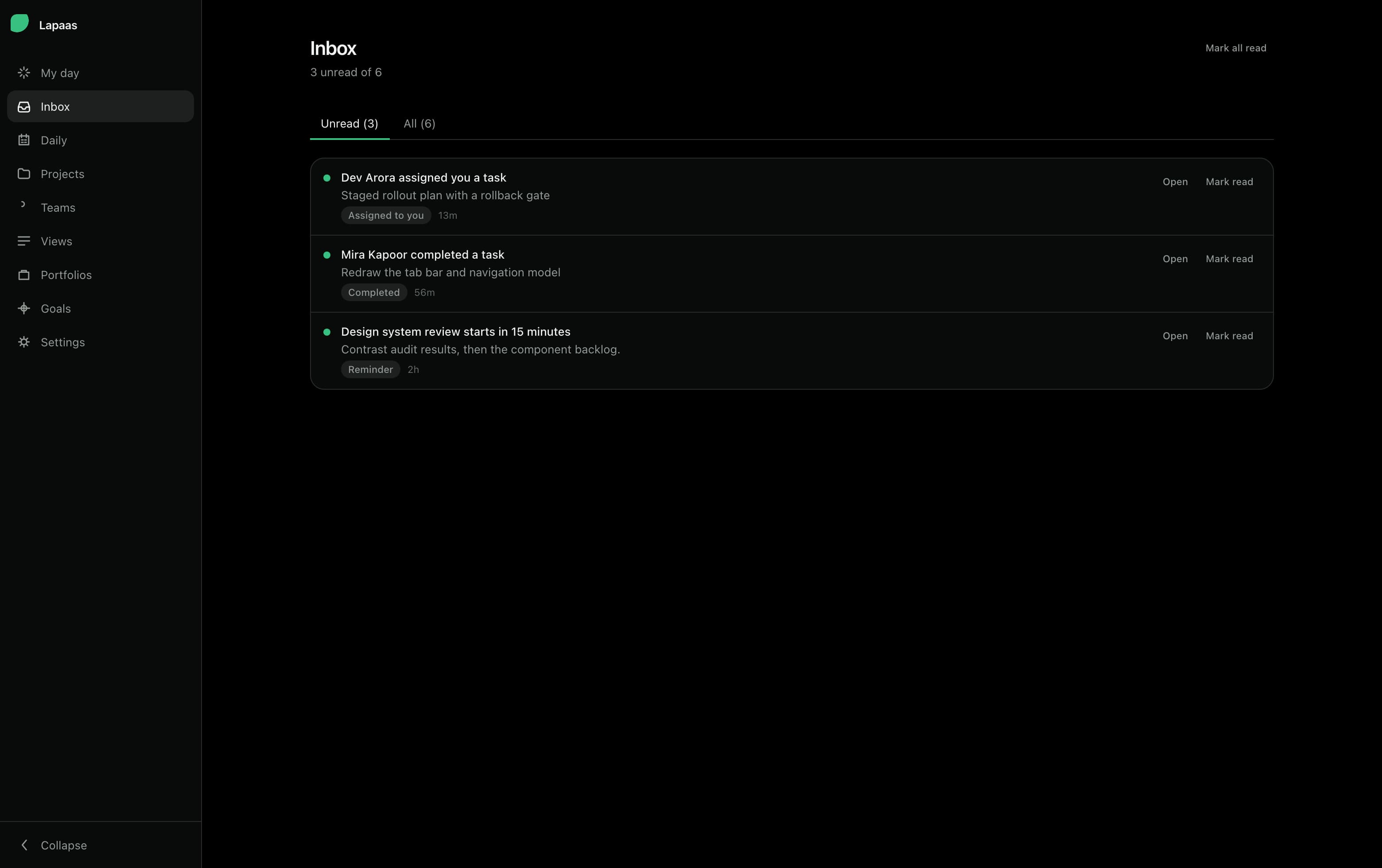
An inbox that ends
Assignments, completions and reminders across every project, in one triage list with a reversible read state.
Your projects already have momentum. Give them a desk.
Start on this device in a few seconds, or create a cloud workspace and pick it up on your phone.